
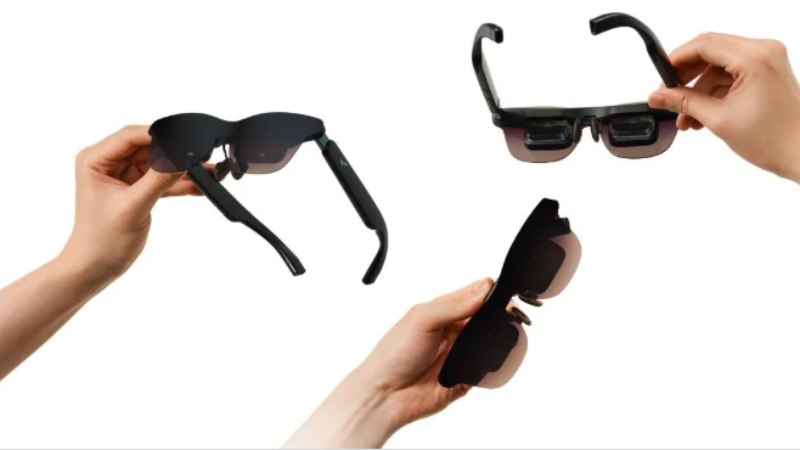
AR glasses can solve a common travel problem: how to enjoy a large, private screen without carrying extra bulk. Whether you are flying, taking a train, moving between meetings, or unwinding in a hotel, they give you a flexible way to watch, play, and work in tighter spaces. Instead of treating them as a niche gadget, build them into the same routine as your phone, laptop, and charger. With a little planning, AR glasses can become one of the most useful items in your carry-on for entertainment and productivity.
Five Ways to Use AR Glasses While Traveling
Watch Movies During Long Flights
Long flights are one of the easiest places to use AR glasses well. You can start a downloaded movie on your phone, put on the glasses, and enjoy a much larger private display than a seatback screen usually provides. This setup also helps when the in-flight entertainment selection is limited or the screen quality is poor. Keep your media downloaded before boarding, use wired or approved connected devices as needed, and settle into a comfortable viewing angle once cruising begins. AR glasses are especially useful in economy seating, where tray space, privacy, and screen distance all tend to feel more restricted overall.
Catch Up on Shows During Train Journeys
Train travel often gives you just enough uninterrupted time to finish an episode, start a series, or watch short videos without dragging out a full laptop. AR glasses work well here because they create a personal screen while keeping your physical setup simple. You can stay entertained in a crowded carriage, avoid balancing a tablet on your lap, and reduce distractions from people moving through the aisle. Download a few episodes before departure so weak rail coverage does not interrupt playback. If your journey includes transfers, the glasses are also easy to pack quickly, making them practical for both short hops and longer routes.
Create a Personal Cinema in Your Hotel Room
Hotel TVs are inconsistent. Some are too small, some have awkward app support, and some make logging in more trouble than it is worth. AR glasses let you skip that process and set up your own viewing experience in minutes. Connect to your phone or a compact media device, dim the room, and watch without depending on the hotel’s screen or speaker quality. This is where RayNeo GT Max fits naturally: it offers a 59° FOV with an epic 267-inch cinema display, adjustable display sizes, and native 3DoF modes. Steady suits relaxed viewing, Pinned creates a fixed cinema feel, and Follow keeps the screen centered.
Enjoy Handheld Games During Travel Downtime
Travel includes plenty of waiting: at gates, in lounges, at stations, and during quiet evenings after arrival. ar glasses can turn that downtime into a better gaming session by giving handheld games a larger display without forcing you to carry a separate monitor. This can make story-driven titles, racing games, and longer play sessions more comfortable, especially when your device screen feels cramped. A private view also helps in shared spaces. Keep a charger or power bank nearby if you plan to play for a while, and use the setup during pauses in your schedule instead of unpacking more gear than you need.
Use a Personal Laptop Display Between Destinations
Not every travel hour is pure leisure. Sometimes you need to answer emails, review slides, edit documents, or finish a presentation between stops. AR glasses can act as a personal laptop display when you want more visual space without opening yourself to nearby eyes. That makes them useful in airport seating areas, station lounges, or hotel lobbies where privacy matters. They also reduce the need to hunch over a smaller laptop screen for extended stretches. If your schedule mixes work and entertainment, this is one of the strongest reasons to pack AR glasses, since one lightweight device can support both use cases across the same trip.
How to Make AR Glasses Easy to Use on Every Trip?
Prepare Your Connections and Content Before Departure
The easiest travel setup is the one that works immediately. Before leaving, confirm which devices you will use with your AR glasses and test every cable, adapter, and app. Download movies, shows, and games in advance, and save any work files you may need offline. Charge your glasses, phone, handheld console, and power bank the night before. If you use RayNeo GT Max, remember it can connect across smartphones, laptops, and handheld consoles, which helps simplify your packing list. If you plan to pair it with RayNeo Pocket TV Pro, set that up before departure as well for smooth access once travel begins.
Adjust Your Viewing Setup to Each Travel Setting
Good results depend on matching your setup to the space around you. On planes and trains, choose a stable seated posture and position cables so they do not snag when others pass. In hotels, recline slightly and reduce room lighting for a more comfortable image. For work sessions, keep the display high enough to avoid neck strain. RayNeo GT Max supports this flexibility with Steady, Pinned, and Follow viewing modes, letting you adapt to commuting, fixed viewing, or casual movement. Its Racetrack Quad-Speaker System with Audio by Bang & Olufsen also helps deliver clearer sound when you want immersive audio without relying on hotel equipment.
Conclusion
AR glasses fit naturally into travel because they solve real problems: limited space, inconsistent screens, and the need for privacy on the move. They can improve flights, train rides, hotel stays, gaming breaks, and mobile work sessions without adding much bulk to your bag. The key is to treat them like any other travel essential by preparing content, checking connections, and adjusting your setup for each environment. When used that way, AR glasses stop feeling experimental and start becoming a dependable part of a smoother, more enjoyable travel routine.